Appearance
How to create a new brand?
FreshUpdated: 2026-03-22
Step-by-step guide to creating a new brand in CrowdReply, including setting up competitors, AI models, and prompts.
You can create multiple brands in CrowdReply to track AI visibility for different products, businesses, or clients.
Each brand gets its own prompts, competitors, AI model tracking, social listening, visibility data and task tracking.
How to create a new brand
You can start the brand creation flow from two places:
Option A: From Settings
- Click your profile icon → Account Settings
- Go to the Your Brand tab
- Click the Add brand card (the card with a plus icon in the brand grid)
Option B: From the sidebar
- Click the brand selector in the top-left of the sidebar (shows your current brand name)
- In the dropdown, click Add brand at the bottom
Both options open the same 4-step creation flow.
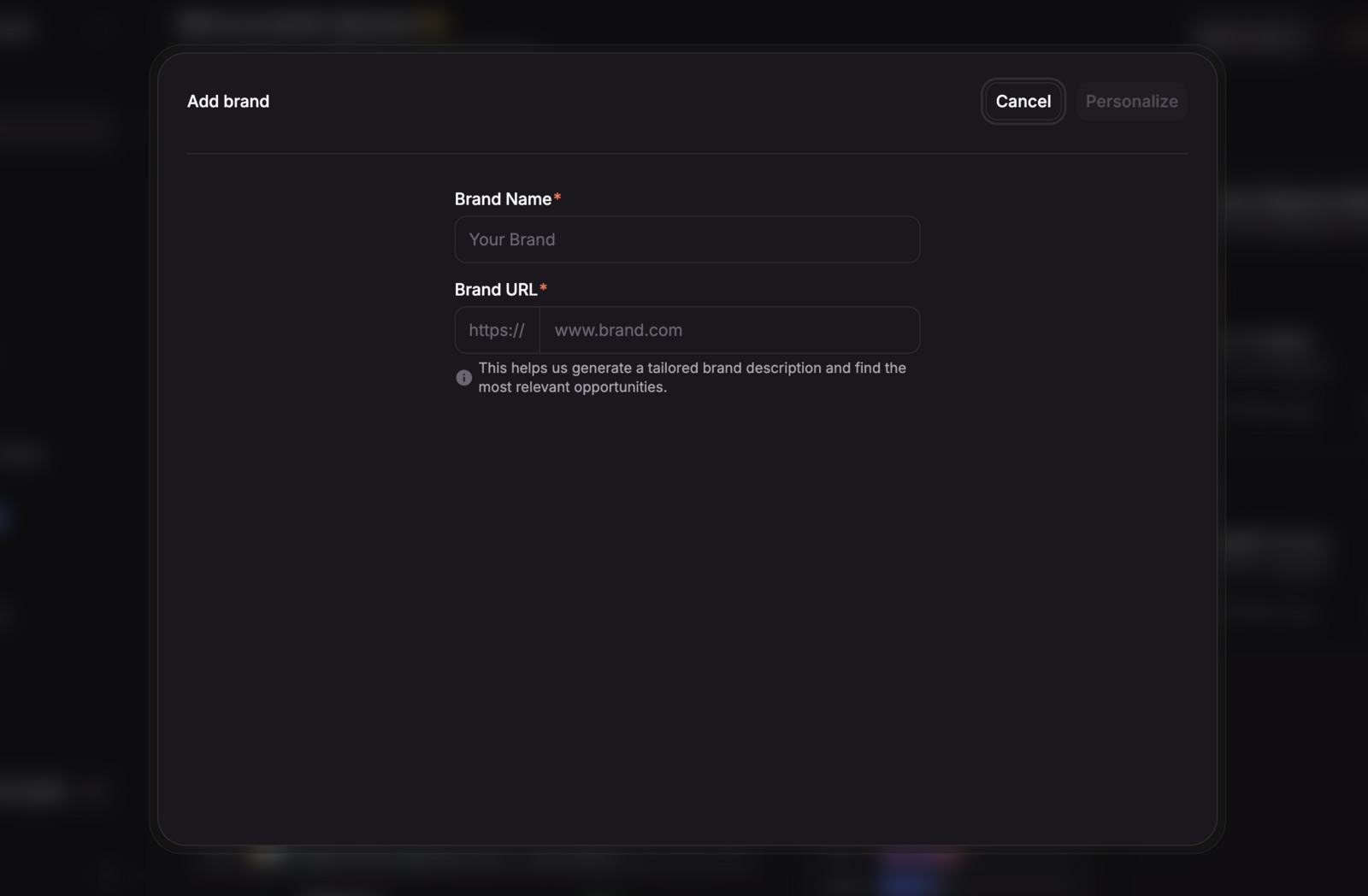
Step 1: Brand name and website
- Brand Name - Enter the name of the brand you want to track (required)
- Brand URL - Enter the brand's website URL (required, must be a valid URL)
Click Personalize to proceed. CrowdReply will analyze your website to generate a brand description and suggest competitors. You'll see a progress indicator: "Personalizing dashboard", "Generating brand description", "Generating competitor links".
Step 2: Add competitors
You'll see 4 fields where you can add competitor domains. CrowdReply suggests competitors based on your website analysis.
- Click a suggestion to add it, or type your own domain
- All fields are optional
- Each domain must be valid
Click Continue when ready.
Step 3: Select AI models
Choose which AI models you want to track your brand's visibility on.
Available models depend on your plan:
- Starter - ChatGPT, Perplexity
- Growth - ChatGPT, Perplexity, Microsoft Copilot, Gemini
- Enterprise - All models
Select at least 1 model and click Continue.
Step 4: Select prompts
Choose the search queries you want to track. These are the questions potential customers ask AI about your industry.
- Select from the suggested prompts
- Add custom prompts by typing your own questions
- At least 1 prompt is required
Click Activate brand to finish. You'll see a success message: "Brand activated successfully."
After creation
Your new brand is now active. You can:
- Switch to it using the brand selector in the sidebar
- View its Overview dashboard immediately
- Add more prompts from the Prompts page
Each brand has its own independent tracking data, so switching brands shows you different visibility scores, citations, and mentions.