Appearance
How to read AI responses?
FreshUpdated: 2026-03-22
How to view full AI response details, use the Show mentions only filter, and understand citations within responses.
CrowdReply captures the full text of AI responses to your tracked prompts. Here's how to access and interpret them.
Accessing AI responses
You can view AI responses from:
- Prompt Details page → Recent AI Responses table - Shows all responses for a specific prompt
The place you'll work with responses is the Recent AI Responses table on the Prompt Details page.
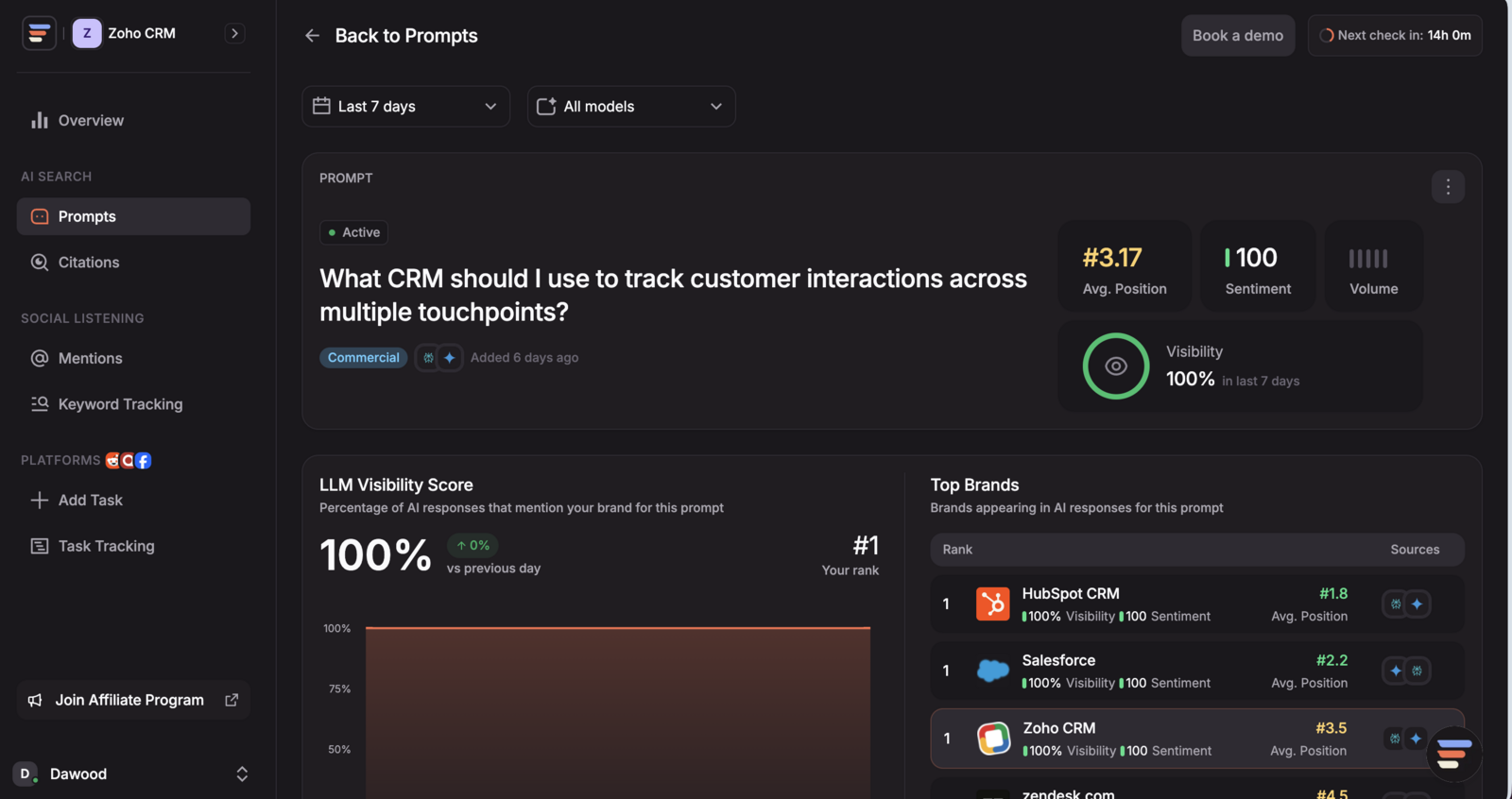
The Recent AI Responses table
This table shows every captured AI response for your selected prompt, with columns for:
- AI model - Which platform generated the response (ChatGPT, Perplexity, Gemini, etc.)
- Date - When the response was captured
- Response preview - A snippet of the response text
- Mention status - Whether your brand was mentioned in this response
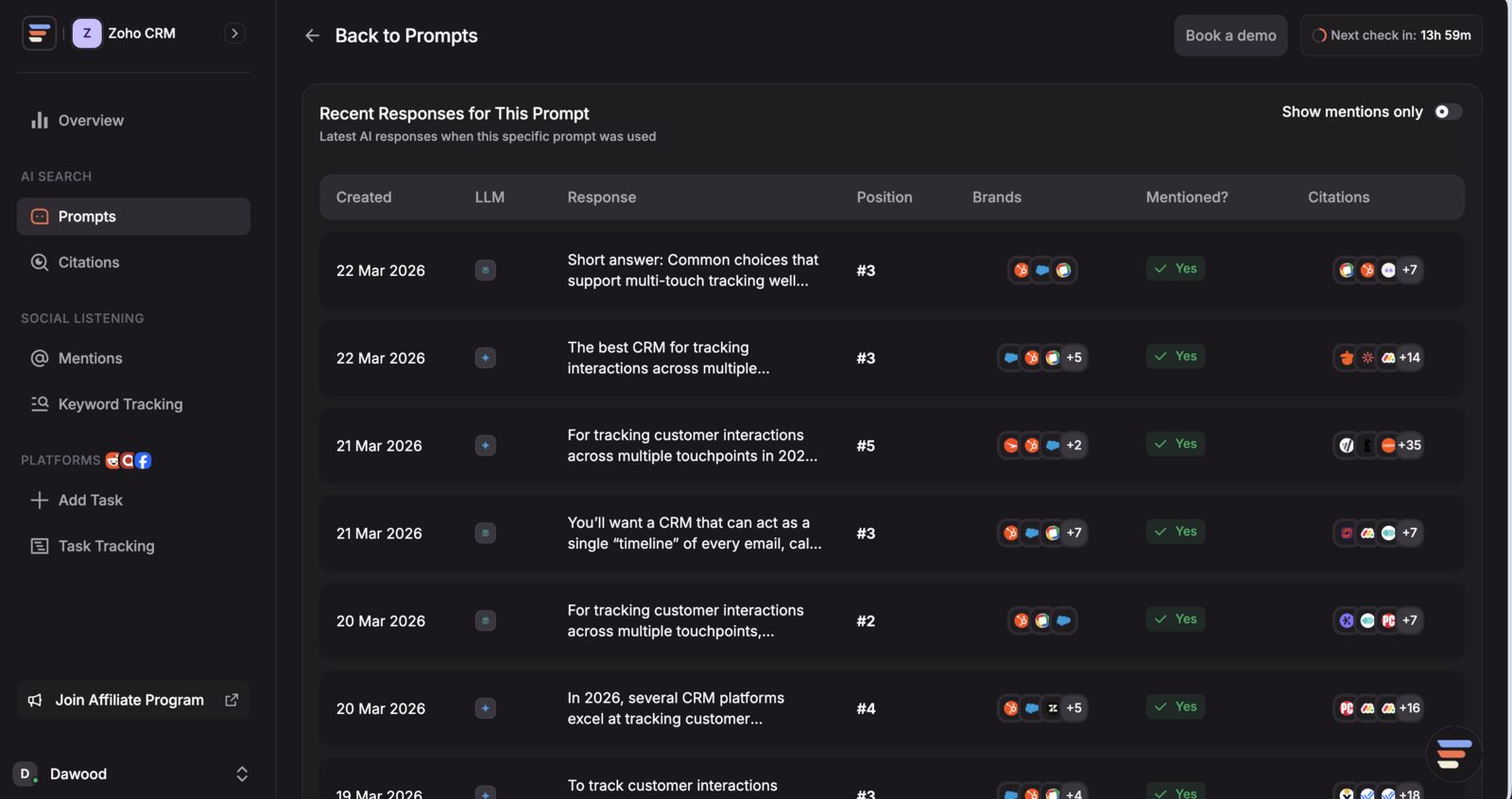
Show mentions only
At the top of the responses table, there's a "Show mentions only" toggle. When enabled, the table filters to only show responses where your brand was specifically mentioned.
When to use it:
- To quickly review how AI models are talking about your brand
- To check the context and sentiment of your mentions
- To compare how different AI models frame your brand for the same prompt
When to turn it off:
- To see responses where your brand is NOT mentioned - these are your opportunities
- To understand what AI models are saying instead of recommending you
- To see which competitors are being mentioned in responses where you're absent
Response Detail Modal
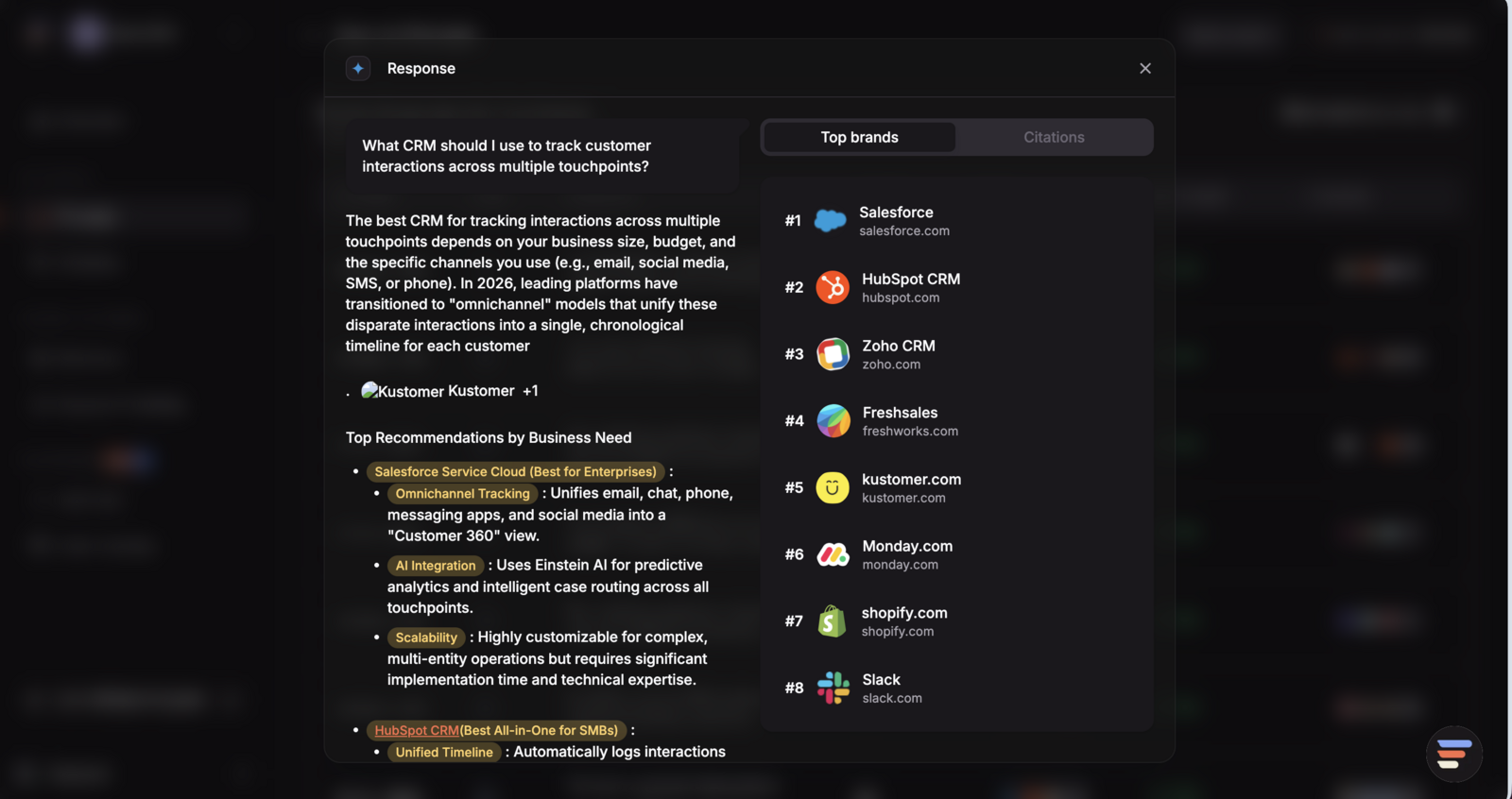
Click on any response row to open the full response detail. This modal shows:
Full response text
The complete AI-generated answer, exactly as a real user would see it. This includes the full text with any formatting, lists, and recommendations the AI provided. You can read exactly how the AI framed the answer and where (or if) your brand appeared in the context.
Citations within the response
Below the response text, you'll see the list of URLs that the AI model cited as sources for this response. Each citation shows:
- The source URL
- The domain/platform
- Whether it's a source you can engage on
This connects the response directly to the citation sources, you can see which Reddit thread or article influenced this specific AI answer.
Mention highlighting
If your brand is mentioned in the response, you can quickly identify where it appears and in what context whether the AI is recommending you, listing you among options, or mentioning you in passing.
What to look for in AI responses
When your brand IS mentioned:
- Position - Are you mentioned first, in the middle, or at the end of a recommendation list? Earlier is better.
- Context - Is the AI recommending you positively ("X is great for...") or just listing you neutrally?
- Competitors alongside you - Who else is mentioned? Are they positioned more favorably?
When your brand is NOT mentioned:
- Who IS mentioned - These are the brands currently winning this prompt
- What sources are cited - These are the threads and pages influencing the AI's answer. If you engage on them, you can get into future responses.
- The gap - What would need to change in the cited sources for the AI to start mentioning you?
Turning insights into action
The most effective workflow is:
- Find prompts where you're not mentioned - Use "Show mentions only" off
- Open those responses - See who IS mentioned and what sources are cited
- Check the citations - Are there Reddit threads or other engageable sources?
- Engage - Create tasks on those high-impact citation sources
- Monitor - Come back in a few weeks to see if new responses start including your brand